 ● Version · Free · Windows & Mac
Panda Launcher gets you playing in one click. Panda Client adds a beautiful menu, the mods you actually use, and cosmetics everyone can see.
No hunting for mods. Install Panda Launcher, press Play, and it's all there.
Profiles for every version, Fabric and Forge, mods and modpacks from Modrinth, and Java handled for you.
26 mods like Zoom, Freelook, Fullbright, Keystrokes, Minimap, Markers and a Spotify HUD. Each with its own settings.
Capes, wings, hats, gadgets and trails that other Panda players see too, plus Premium skies and totem styles.
Your Microsoft accounts are encrypted on your computer. Switch accounts right from the game.
Crisp fonts, soft animations and a clean design at any screen size. Nothing pixelated.
Built with the community on Discord. Join to suggest features and get an exclusive cape.
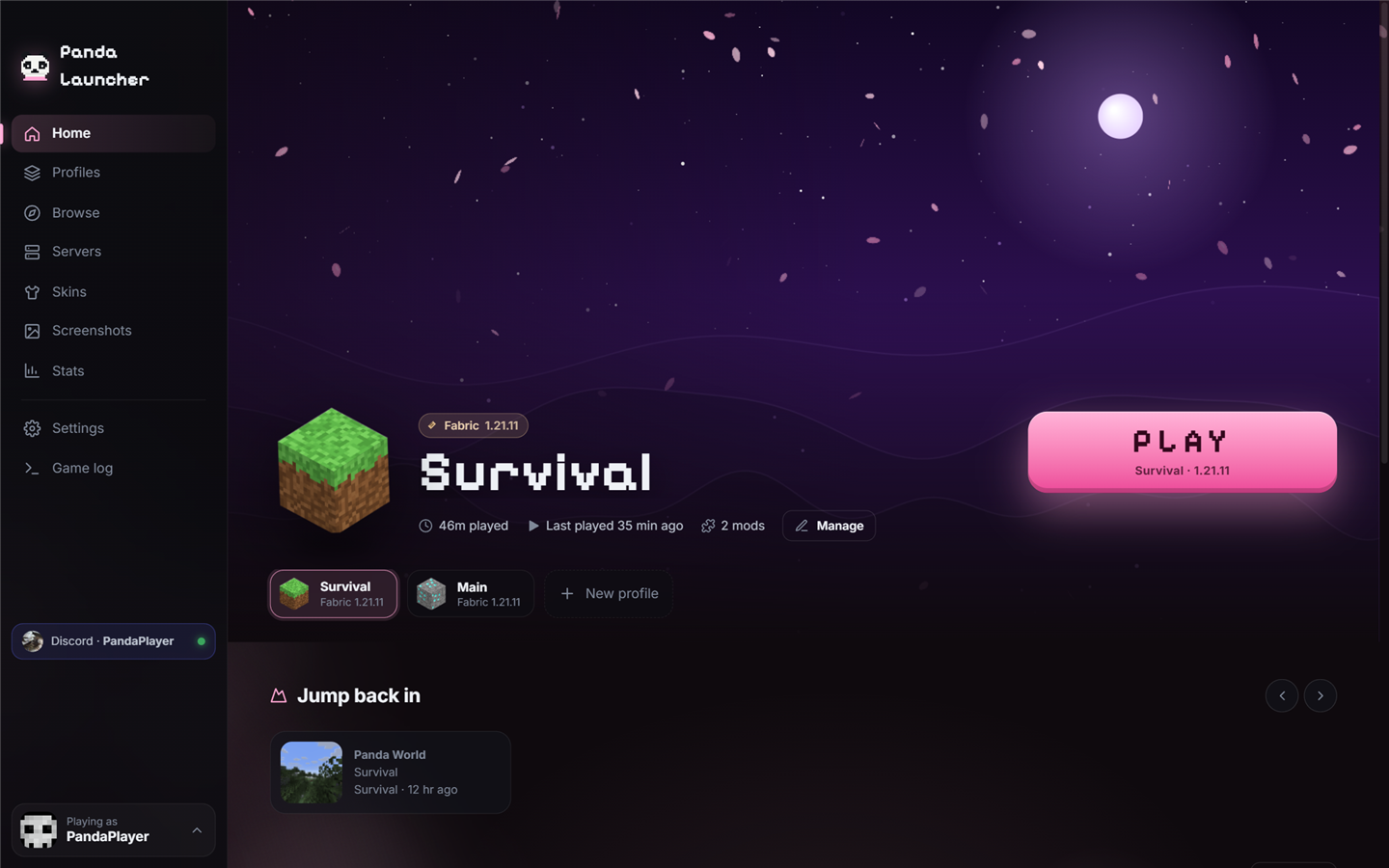
An animated night sky in your colours, your profiles one click away, your servers with live player counts, and news from every update.
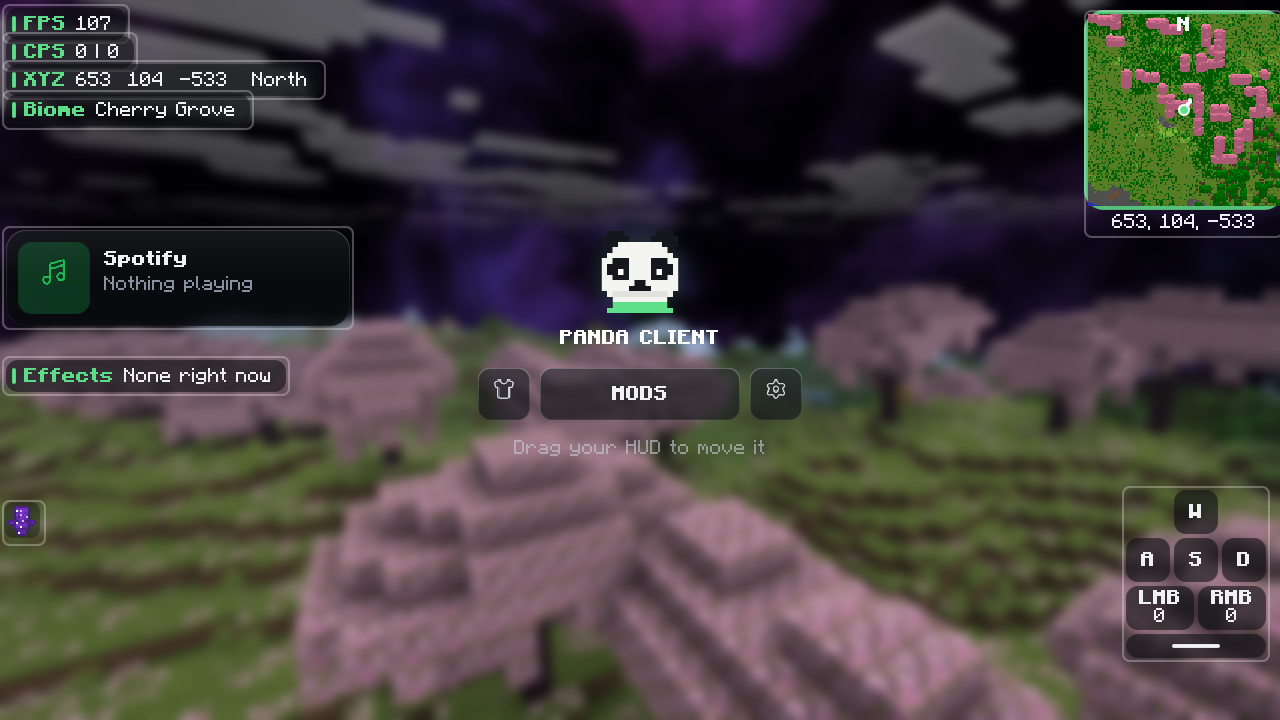
Your HUD lights up so you can drag it anywhere, with Cosmetics, Mods and Settings one click away. Right-click any mod to change exactly how it works.
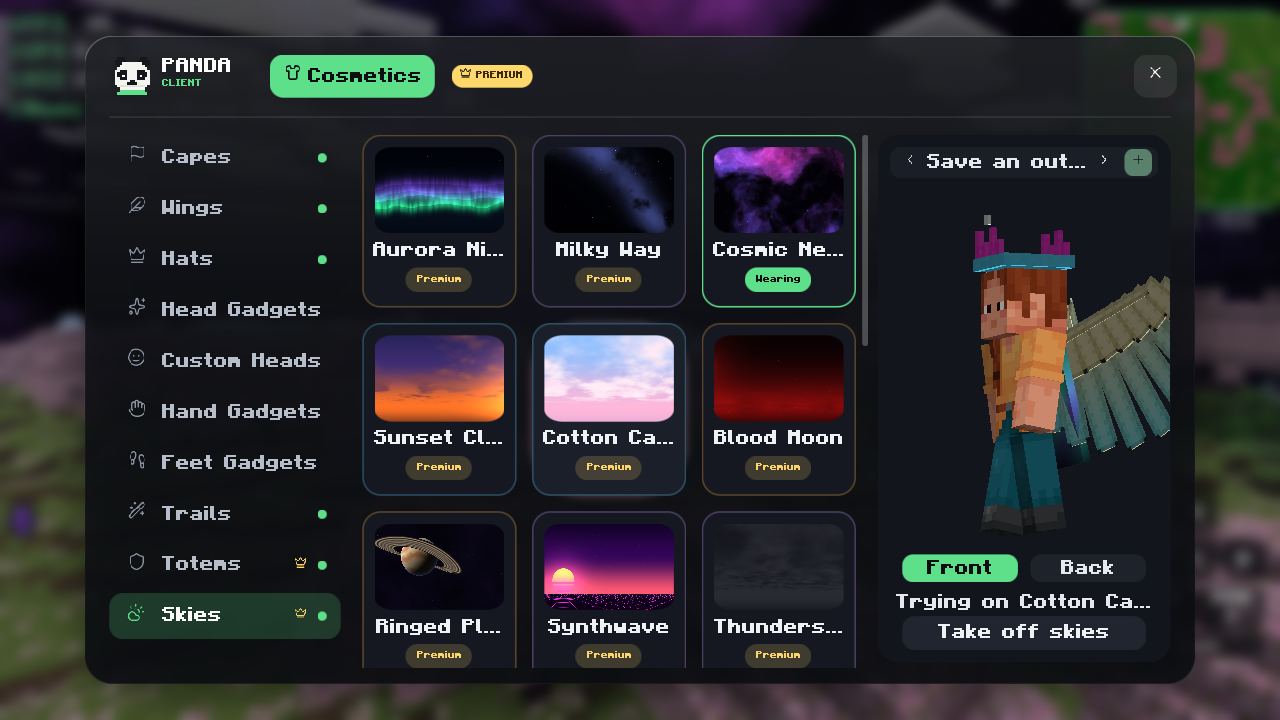
Hover any cosmetic to try it on your own skin, click to wear it, and everyone using Panda sees it on you. Save whole outfits and switch between them.
Browse the store →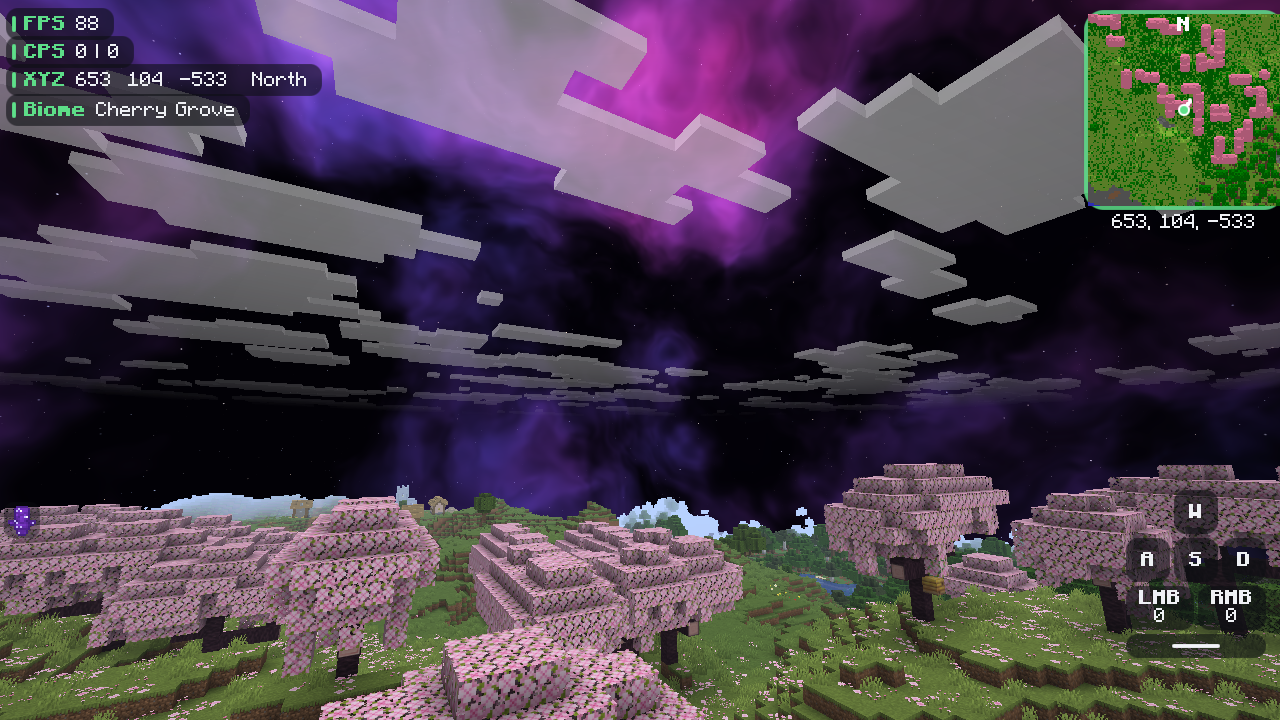
21 live 3D skies that move: auroras, nebulas, a black hole, a ringed planet, thunderstorms, synthwave and more. Plus 97 totem styles.
See Premium →Free for Windows and Mac. Install it, sign in with Microsoft, and press Play.
Yes. The launcher, Panda Client and the mods are free. Some cosmetics and Premium will be paid later, and lots of cosmetics will always be free.
Panda Client only adds visual mods and quality-of-life features like Zoom and HUDs. There are no cheats, so it's fine on servers that allow clients like Lunar or Feather. Always check a server's rules.
The launcher plays any Java Edition version. Panda Client (the in-game menu and cosmetics) runs on Fabric 1.21.11, with more versions coming.
That's macOS being careful with new apps. Open the downloaded file and drag Panda Launcher into Applications. Try to open it once, then go to System Settings → Privacy & Security, scroll down and click Open Anyway. You only need to do this the first time.
Yes. You sign in with the Microsoft account that owns Minecraft: Java Edition.
Visit Support: search the quick answers, or sign in with Discord or Google and open a ticket. The Panda team replies right there.
Join our Discord, then press "Claim cape" on the launcher's Home screen and sign in with Discord. It unlocks in Cosmetics → Capes.